
Kindle Colorsoft Review: Is it worth it?
I purchased the Kindle Colorsoft to compare it to my Kindle Paperwhite, is it worth the extra expense? Check out my side by side photos and decide for yourself.

I've been a diehard Kindle reader for over a decade. I've been through several models of Paperwhites, the Kindle Oasis, Amazon Fire tablets, and the Kindle app on my iPad and iPhone.
This week I finally ordered the Kindle Colorsoft so I could compare it to the other models and help you decide whether this is the year for you to upgrade or not.
It arrived just yesterday and I've taken pictures of the new Kindle with my iPhone and resisted editing them as I normally do so that you can see the truest representation of what the screen colors actually look like in real life.
The Kindle Colorsoft is currently on sale for Black Friday and you can save an extra 10% with the code GETKINDLE10 as long as there are still codes available.
Close Up Peek at the Colorsoft
The Kindle Colorsoft arrives in a nicely packaged gift box that is far superior to the Kindle Paperwhite boxes.
If you're giving this as a gift, it immediately feels more special before you've even opened up the Kindle itself.
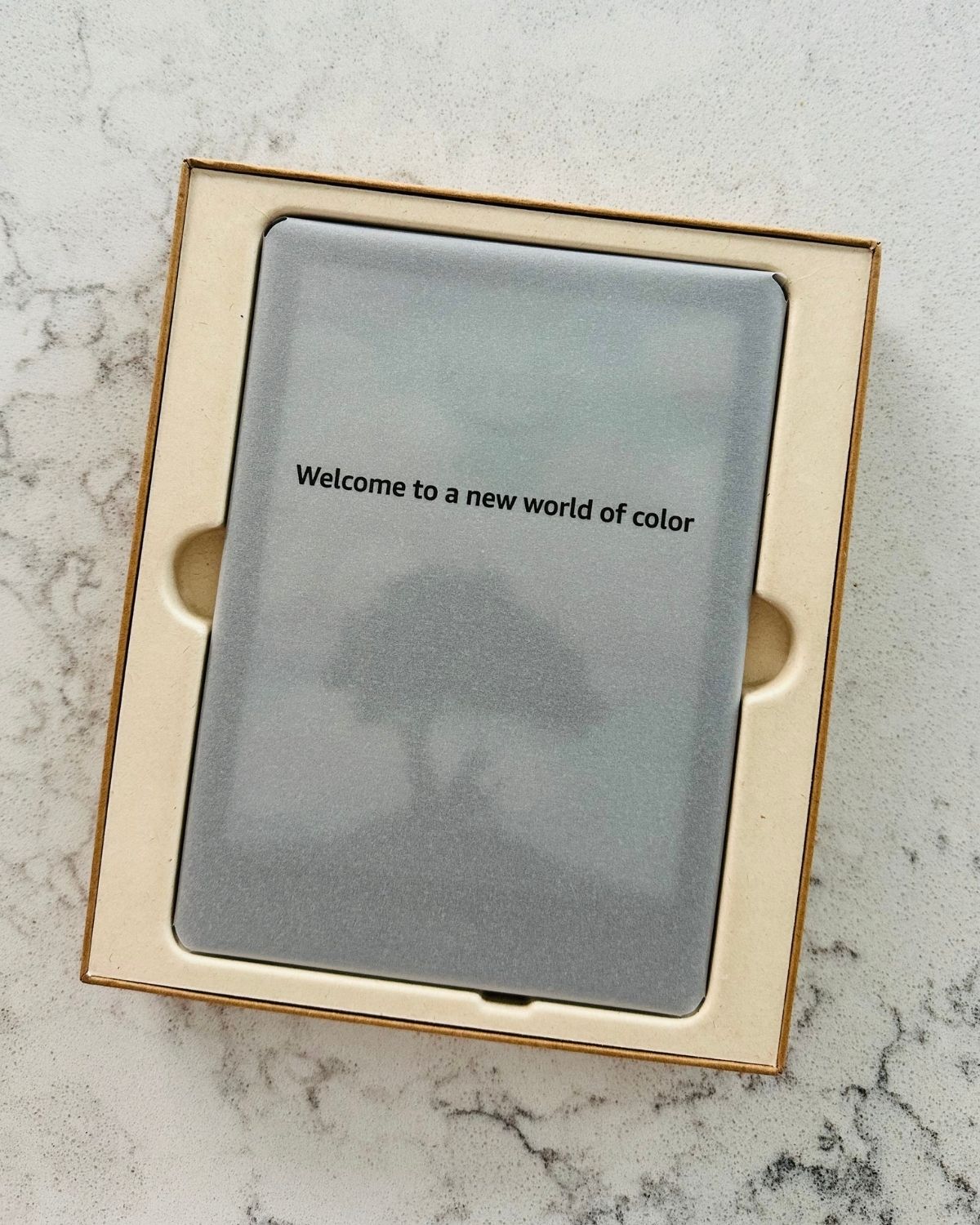
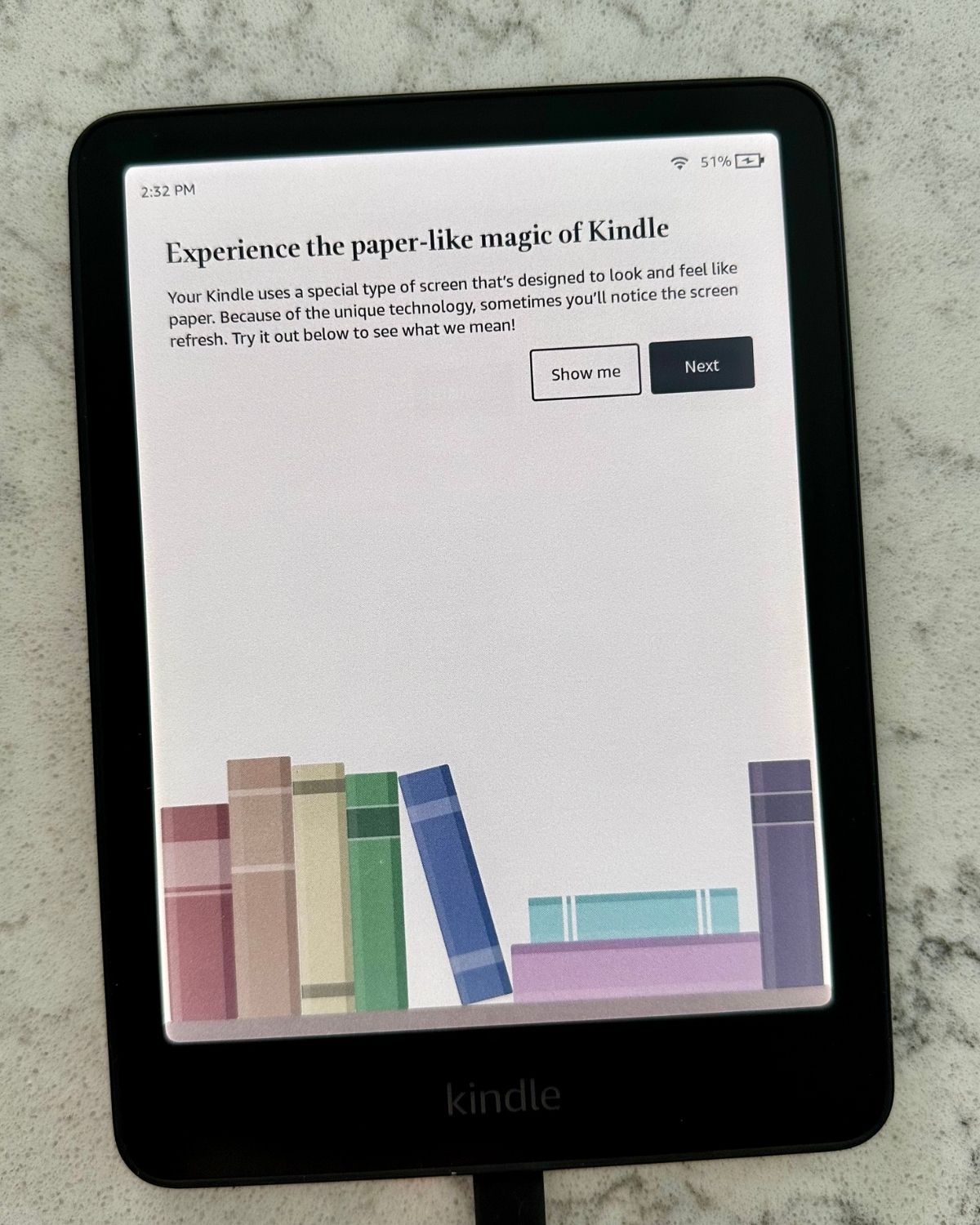
It arrives with a 50% charge so I was able to turn it on right away but I also plugged it in so it can charge up.
It comes with a charging cord but not a charging block. You'll need to order that separately if you need it.
Colorful Book Covers
Reminder: I did not edit these iPhone photos in any way, I only cropped them for size for loading into this website.
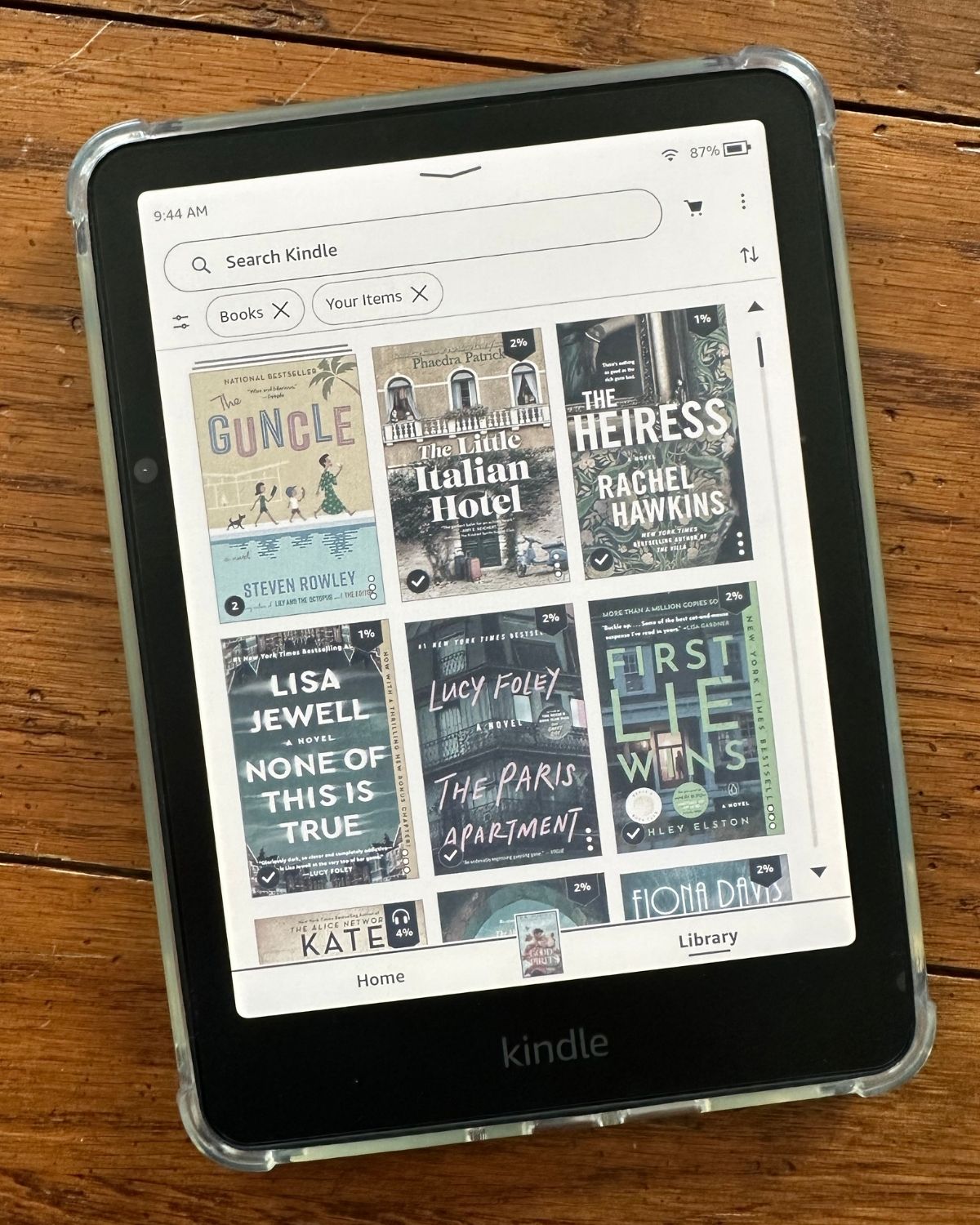
I was most excited about the Kindle Colorsoft being able to show the covers of my books in color. Especially since I love romance books, the Kindle books in my library tend to be very bright and colorful and I really miss seeing them on my black and white Kindle Paperwhite.
This is what the book cover looks like when the book is actively opened and the Kindle device is awake:
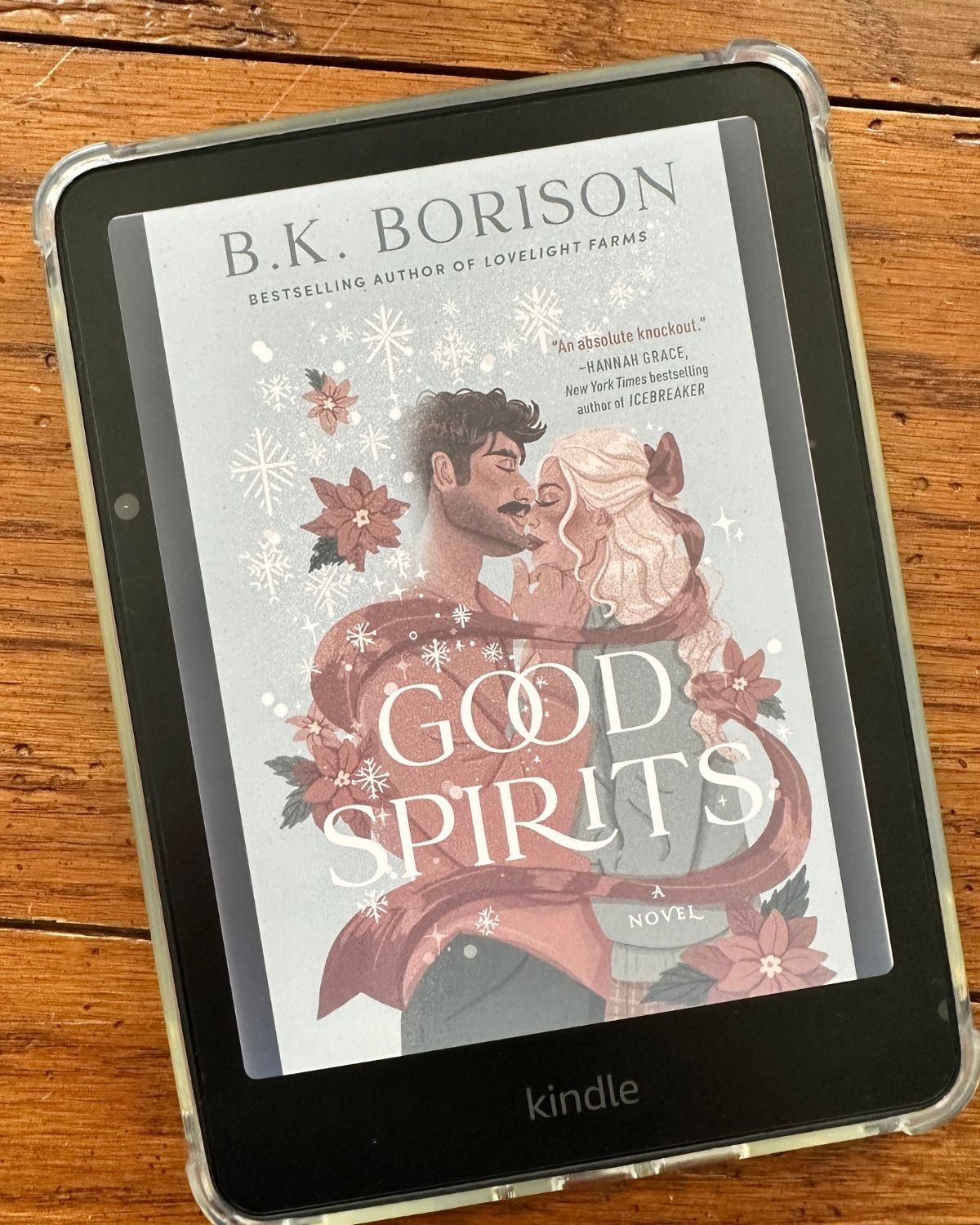
You'll notice that the colors are true to the device's name: soft. The light blue and reds appear muted but they are definitely still there.
Do not expect a bright and vibrant hue.
The Kindle Colorsoft offers two setting options for the color, I bumped it up to Vibrant immediately, so these photos show you the most colorful version that is possible.
Here's a peek at what the Library view looks like with the book covers in color:
Highlight Colors
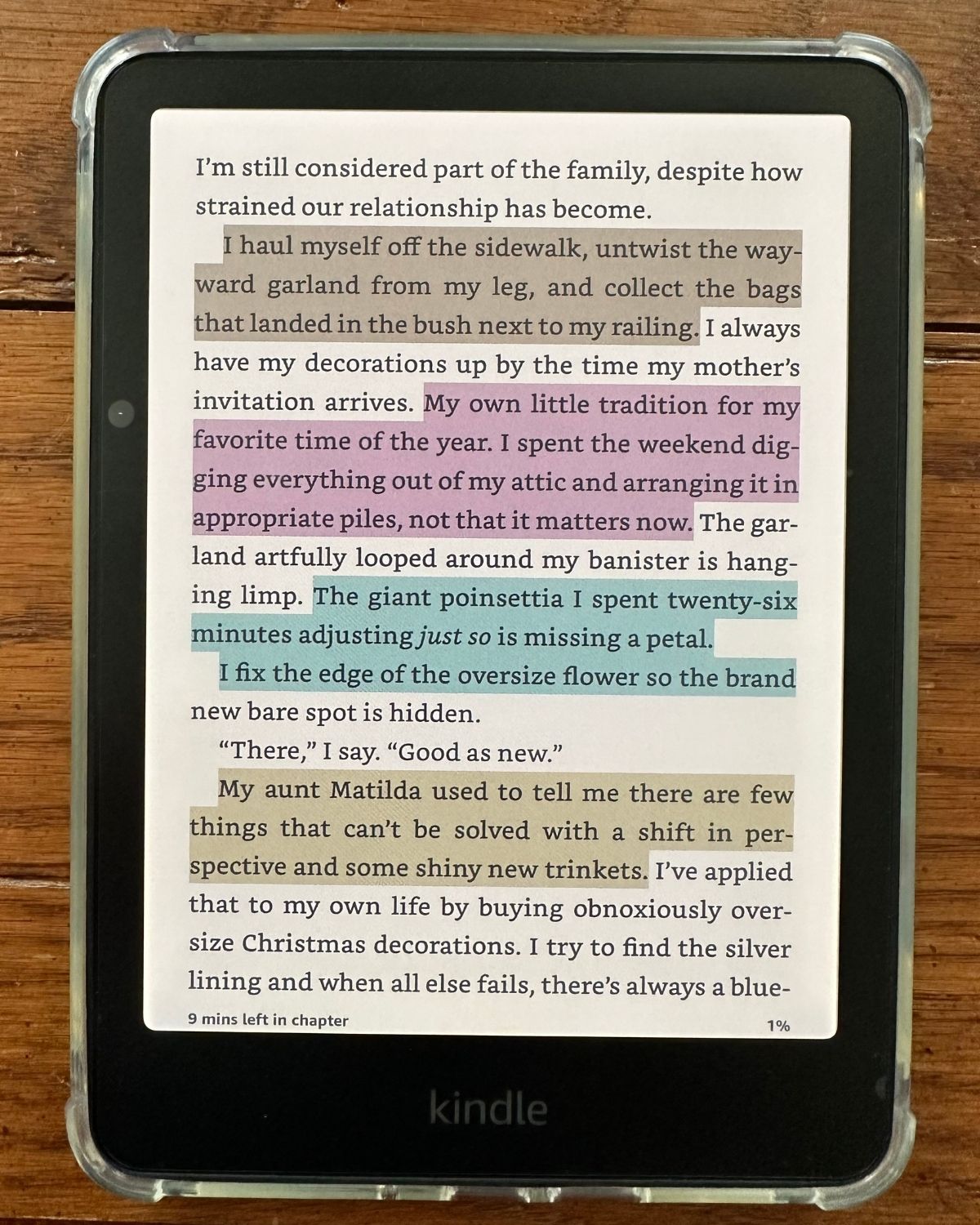
One of the nicest perks about the Kindle Colorsoft is the ability to access the four Highlight Colors.
I've been using these annotation tools on my Kindle books when I read on my iPad screen and I get frustrated when I can't access them on the Paperwhite.
You can choose yellow, pink, blue, or orange.
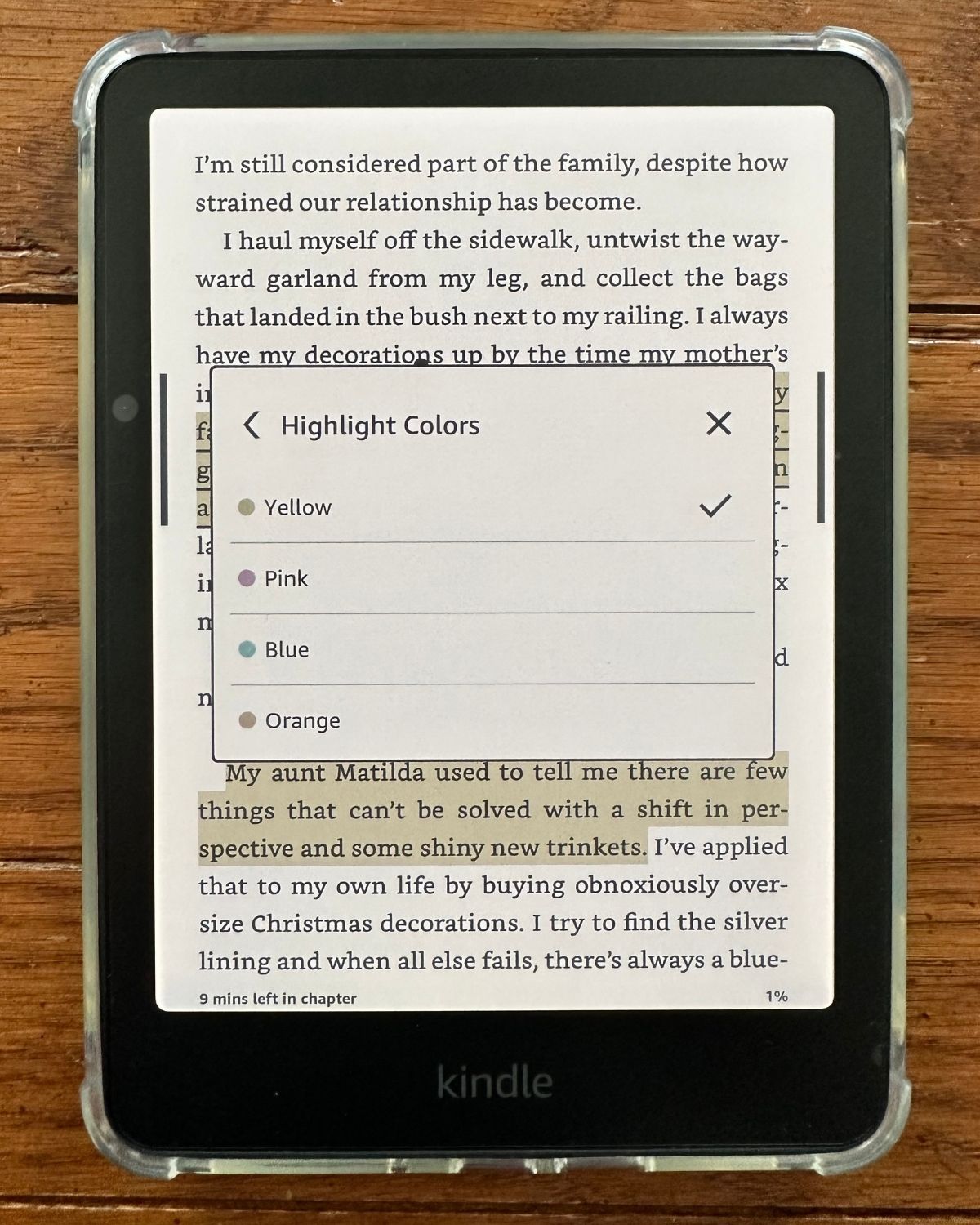
I highlighted this page of my book with the four different colors to show you how they appear in use:
Colorsoft vs. Paperwhite
For me, the real question that needed to be answered was "Is the Kindle Colorsoft worth the extra cost over a Kindle Paperwhite?"
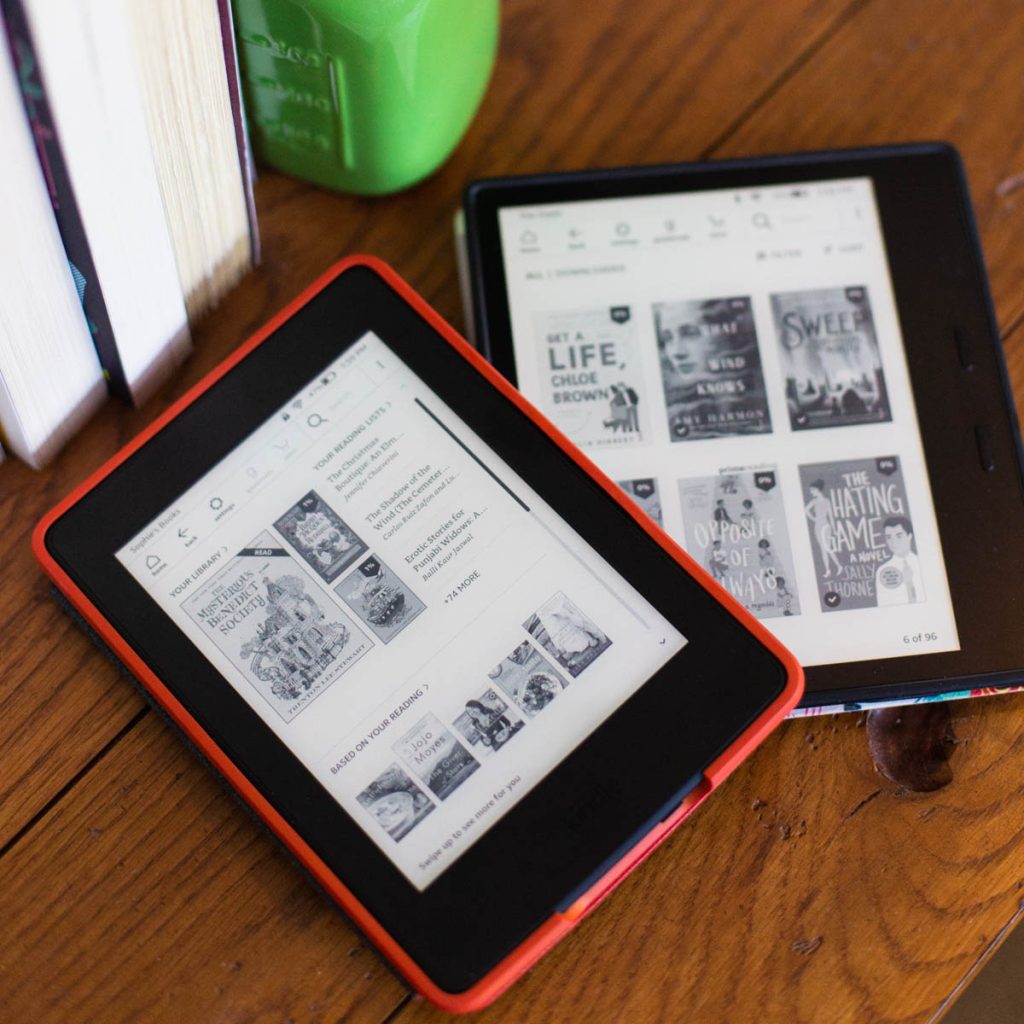
Here are a couple of pictures to show you the similarities and differences of the two models side by side.
On the left is my Kindle Paperwhite, I purchased it in July 2025. On the right is my Kindle Colorsoft, I purchased it in November 2025.
For the record, I paid for both devices myself, this is not a sponsored review in any way.
Similarities
When you hold the Paperwhite and Colorsoft side by side, you will find they are exactly the same size and shape and feel the same in your hand.
I believe the contrast on the text itself is the same, the settings are all in the same spots, and your Kindle library will work the same.
Now let's look at some differences.
The Sleep Screen
This is the feature I was most excited for -- I have my Kindles set to show the cover of the book I'm currently reading when they are sleeping. I would love to see the color cover resting on my nightstand vs. just the black and white.
Here is the cover of Good Spirits by B.K. Borison on the sleep screen for both Kindles.
Notice how crisp the contrast is for the Black and White Paperwhite and how muted the Color version is on the Colorsoft. It's so dark on sleep mode that I can barely see the cover itself.
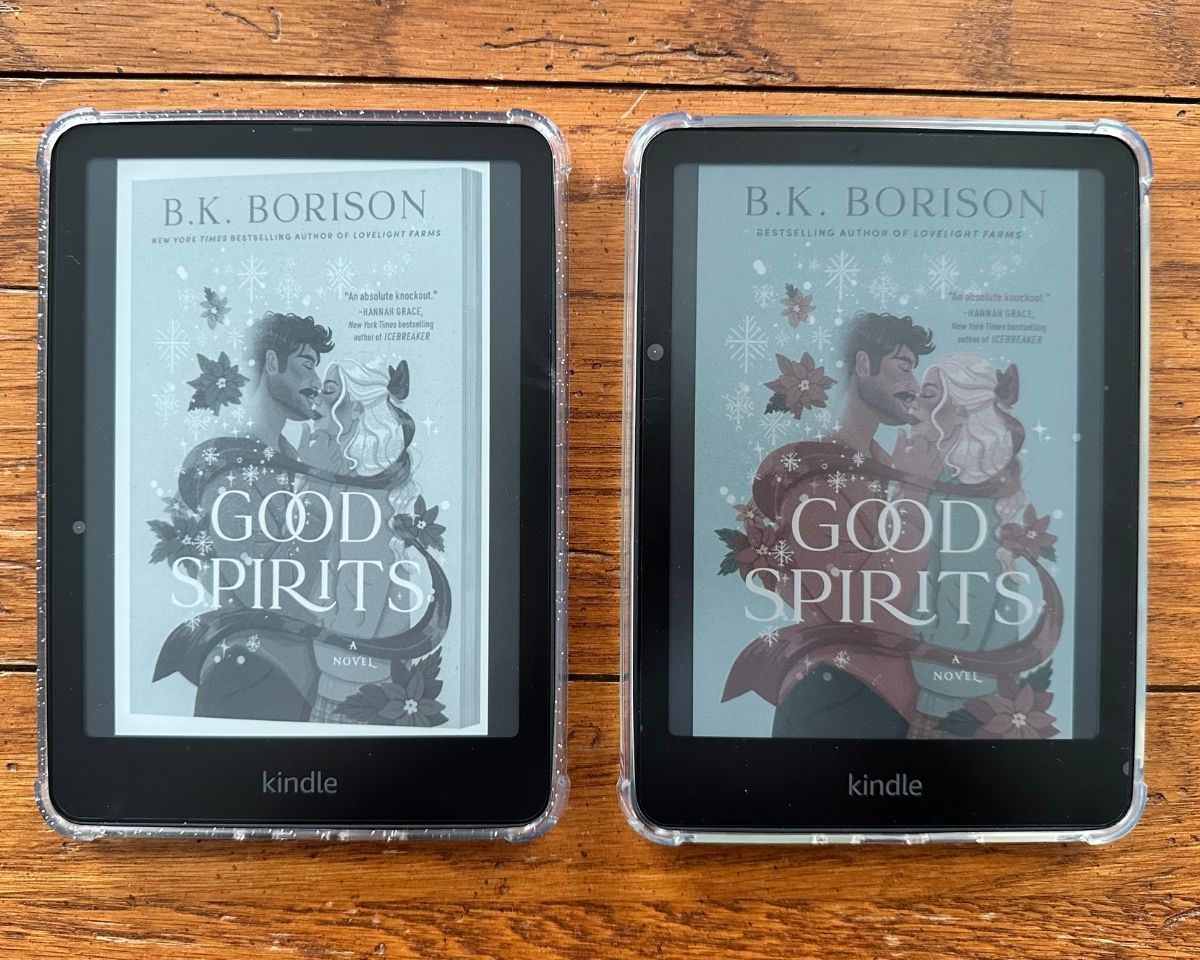
A big part of reading motivation is seeing your book cover and getting excited to pick up your book instead of doing something else. I'd be much more likely to notice the B&W screen than the color one in this instance.
The Active Book Cover
When you turn your Kindle on and select a book to read, the device activates the interior light and the screen glows.
This is what the Paperwhite vs. Colorsoft book cover for Good Spirits looks like when both Kindles are turned on:
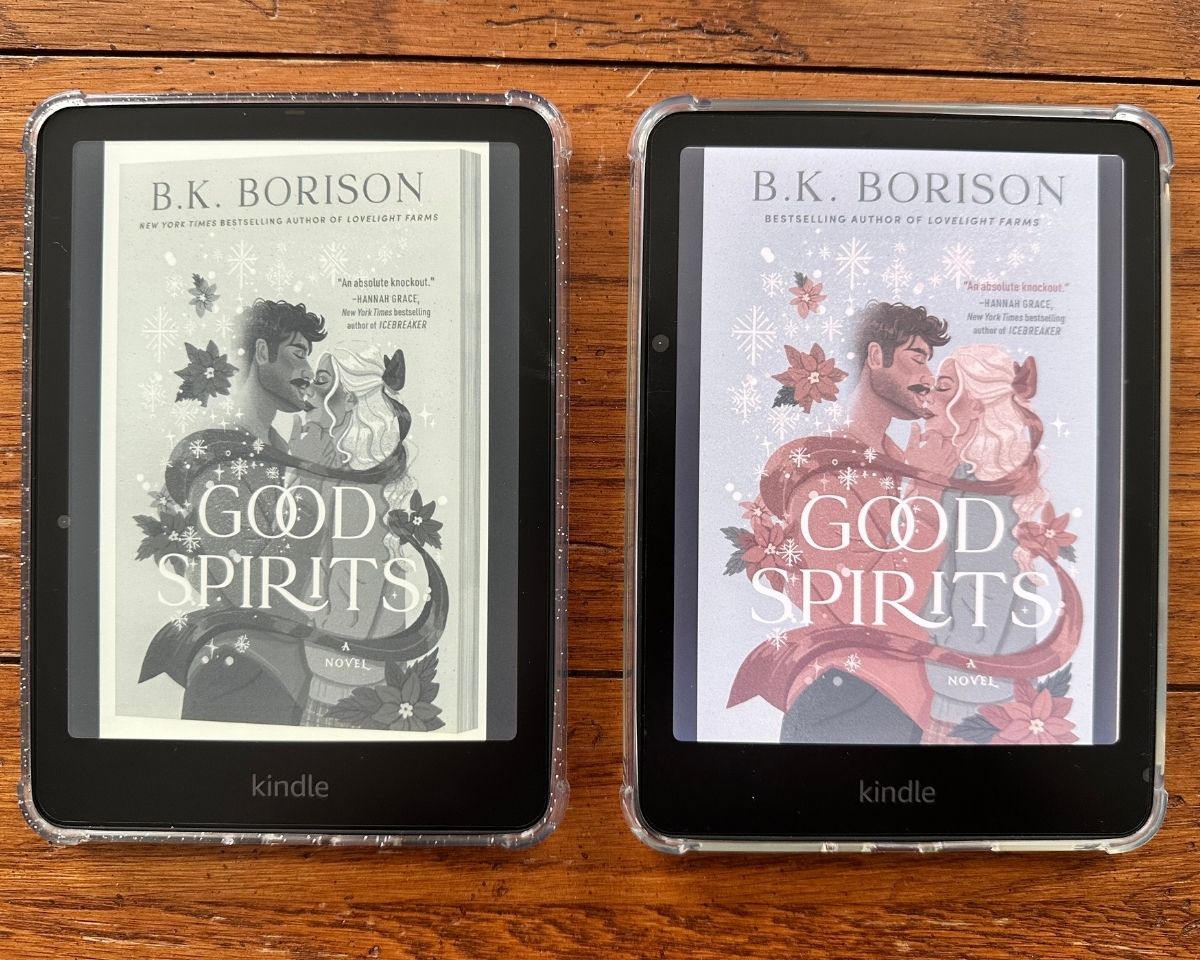
Notice how much brighter the colors are on the Colorsoft when it is awake? This is what I had hoped for from the sleep screen.
When I put the Paperwhite next to the Colorsoft, the very first thing I noticed was the brightness and warmth difference.
I set both Kindles to a Level 16 Brightness and a Level 5 Warmth and put them side by side:
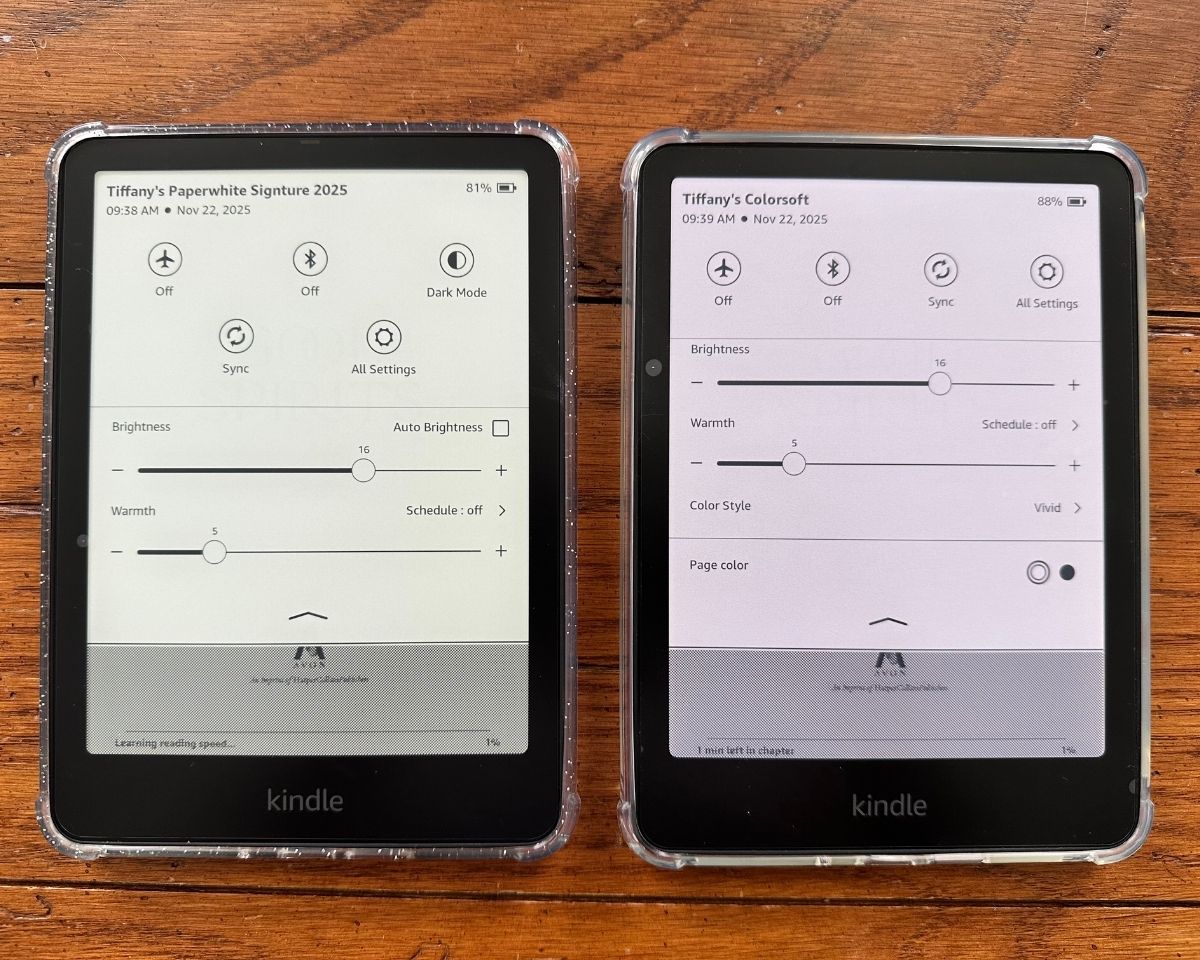
The Colorsoft is noticeably colder and dimmer at the same settings but I was able to get them pretty close to the same by increasing the brightness 1 - 2 levels which also improved the warmth.
If you consistently read with your Paperwhite at the highest brightness setting, you may be disappointed with the Colorsoft at that same level, it will likely be a bit dimmer.
The Best Kindle Screen for Color
If the color is the detail you are most excited about with the Kindle Colorsoft, I want to do a quick review of your options:
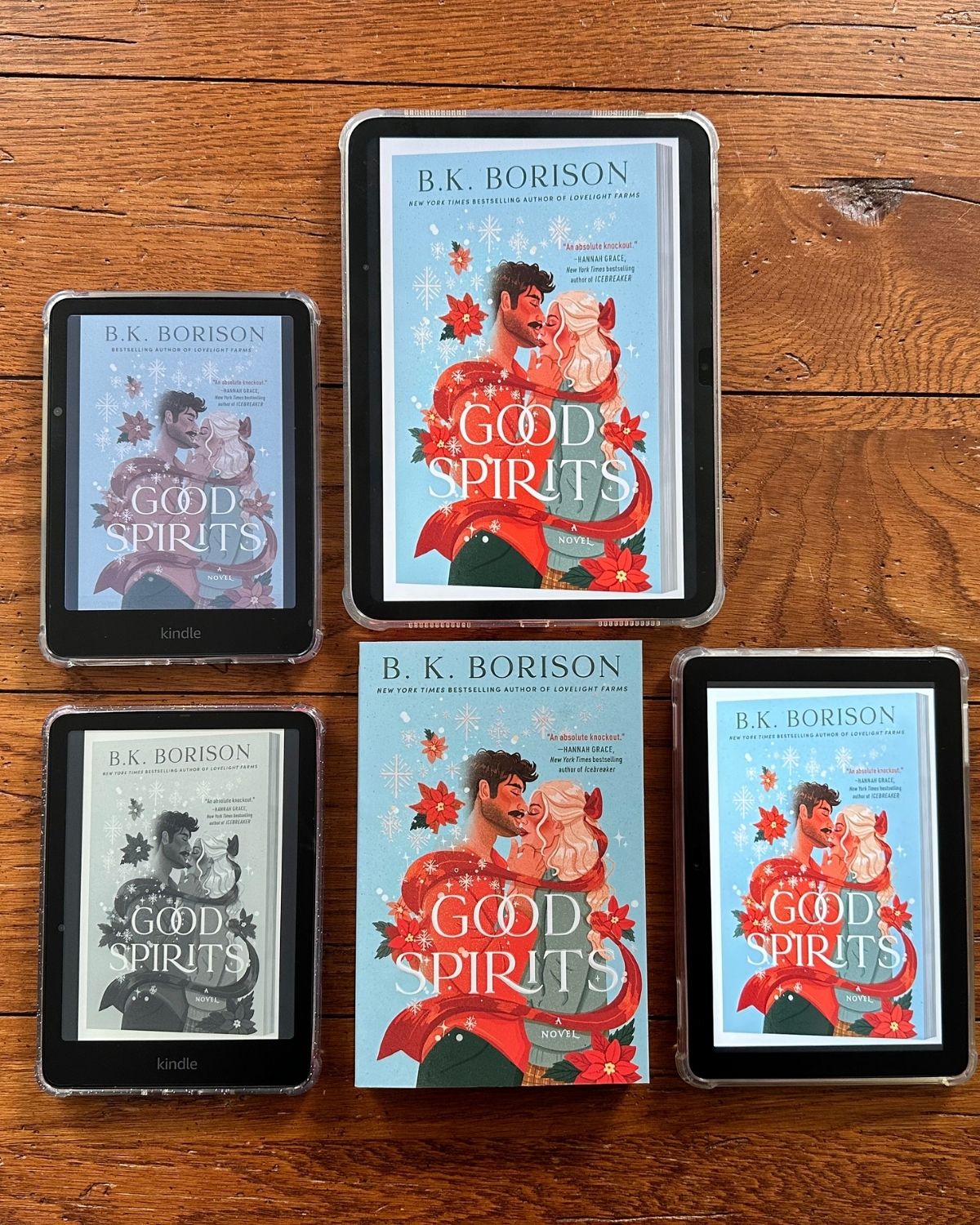
In the photo above, you see a paper copy of Good Spirits in the bottom center row so you can see what the real world book cover looks like in the same light as the screen versions.
On the left, is the black and white Paperwhite with the color Colorsoft directly above it.
Top row center is my Apple iPad 11 with the Kindle app.
Bottom row, far right is my Amazon Fire Tablet with the Kindle app.
Winner for Reading in Color
If I had to choose just one single device (other than the paper copy) to read a COLOR version of a book, and the color itself was what mattered most to me, I would absolutely pick my Apple iPad over all the other options.
I use my iPad a ton for organizing my Kindle library, reading colorful Kindle Unlimited magazine subscriptions, and non-reading tasks like managing my family calendar, to do list, and other apps that sync with my iPhone.
I use my Apple pen to highlight Kindle books as I read them and it feels like using a real highlighter.
The second runner up would be the Amazon Fire Tablet. It is a more budget-friendly pick and runs at a fraction of the cost of the iPad but I also use it for nothing other than the Kindle books. I'm not a huge fan of the interface and apps on it and prefer my iPad.
Winner for an Actual Reading Session
Now if the reading part is what actually mattered and I was settling in for a good long relaxing time with my book, then the winner would be the Kindle Colorsoft.
My iPad and the Amazon Fire Tablet are far too bright and shiny for extended reading sessions. I love the matte feel of the Kindle devices.
I use the highlights function enough that I'd enjoy having the options for the colors. I also ALWAYS start a new book by looking at the cover even though the default opening page is usually Chapter 1. I always backtrack to the cover and then tap through the dedication pages before digging in.
Even though the colors are soft, I do enjoy that they are there.
Is the Colorsoft Worth the Price?
After reviewing all these options side by side, do I think the Colorsoft is worth the additional price?
I bought mine during a Black Friday promotion while it was on sale, but so is the Paperwhite right now.
While prices are always changing, there is currently only a $25 difference between the Kindle Colorsoft and the Paperwhite without Lockscreen Ads. This is as close as an apples-to-apples comparison as I could get.
If I wanted to buy a new Kindle, I think the color option is totally worth that $25 upgrade investment. I think you'd enjoy the color covers and the enhanced look of your library with all the book covers in color enough to justify the cost.
If you already have a Paperwhite, it's not quite as obvious of a choice. If you really want a second Kindle or plan to give your first to another family member, it could be worth it. But generally speaking from a very budget-conscious place, I do not think the upgrade experience justifies the additional cost unless you were planning to buy a second Kindle anyway.
Colorsoft Accessories
Here's the good news: If you have a Kindle Paperwhite, your accessories will also work on the Kindle Colorsoft.
I had a pack of screen protectors I bought for the Paperwhite and the spares worked perfectly on the Colorsoft saving me a little money.
The covers and cases are also interchangeable.
You can see my favorite Kindle accessories here.

Comments
No Comments